Add background music to your audio file
 Add background music to your audio file
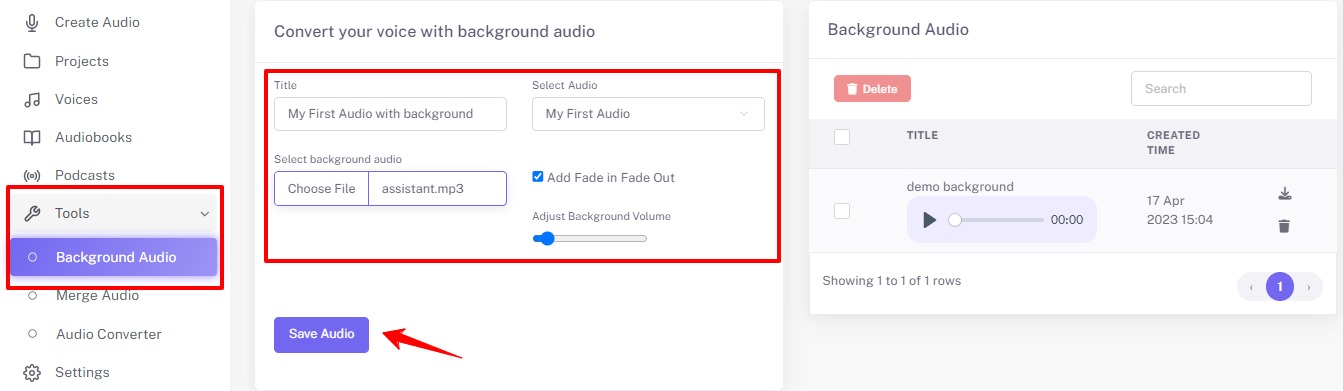
Select "Background Audio" in the left navigation bar under the Tools.
You can see the "Convert your voice with background audio" box. Type whatever name you want in your audio file.
Select your pregenerated audio file from the dropdown list. Upload your music file which you want to perform behind the audio script. You may also adjust the volume of the background music and the fade effect.
Click on "Save Audio" button to generate a file with background music.